









How to Choose a Commercial Truck Dash Cam?
Choose a Commercial Truck Dash Cam
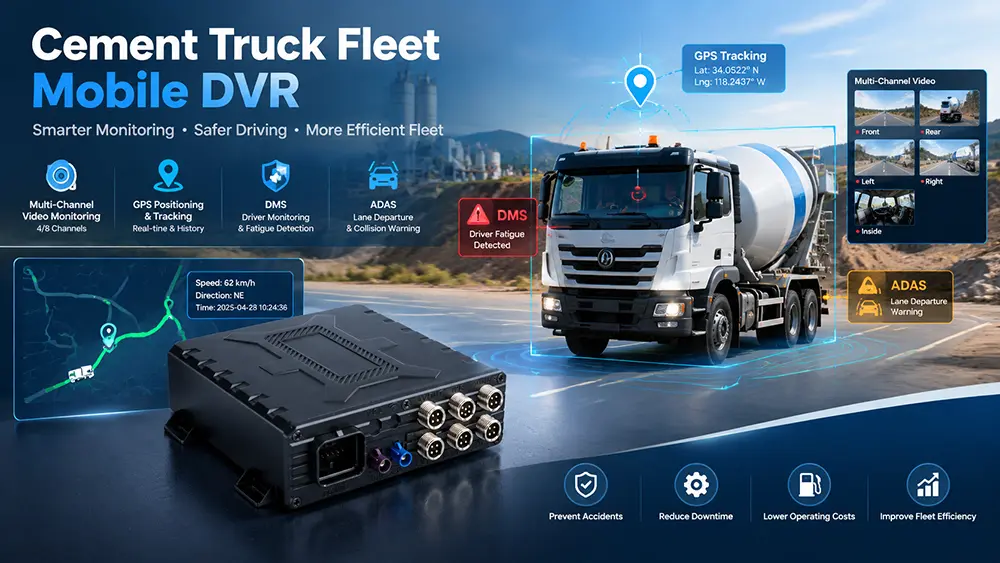
Key Selection Factors for Commercial Truck Dash Cams: Coverage Type, Footage Retrieval Speed, GPS Functionality, Storage Duration, and Compatibility with Existing Workflows. Below, YUWEI, a top-tier Chinese dash cam manufacturer, shares dash cam types and a fleet purchasing guide.
Core Value
Truck dash cams are no longer optional accessories. For most fleets, they protect drivers, reduce disputes, and clarify accident facts. High-end models can be integrated into safety management systems.
Key Premises for Selection
First define core needs: accident recording, driver behavior improvement, insurance premium reduction, enhanced operational visibility, or rapid footage retrieval? Needs determine the suitable type.
Classification by Shooting Angle and Channel Count
1. Single-Channel Front-Facing Dash Cam
① Function: Only records the road ahead; a basic and commonly used model.
② Applicable Scenarios: Core need is accident recording, clearly capturing violations by preceding vehicles (cutting in, sudden braking, etc.).
③ Limitation: Cannot cover the cab, sides, or rear of the vehicle, resulting in blind spots.
2. Dual-Recording Dash Cam (Road + Cab)
① Function: Simultaneously records the road ahead and the interior of the cab.
② Applicable Scenarios: Need to clarify driver operation context (accident response, distracted driving) or for driver training.
③ Note: Formulate clear policies to balance privacy and management, avoiding conflicts.
3. Dual-Channel Front & Rear Dash Cam
① Function: Records the road ahead and the rear of the vehicle.
② Applicable Scenarios: Address rear-end collision claims, reversing accidents, and restore vehicle conditions before and after accidents.
③ Key Point: Clarify the "rear" shooting range (cab rear view or direct view of the vehicle tail).
4. Multi-Camera Multi-Channel System
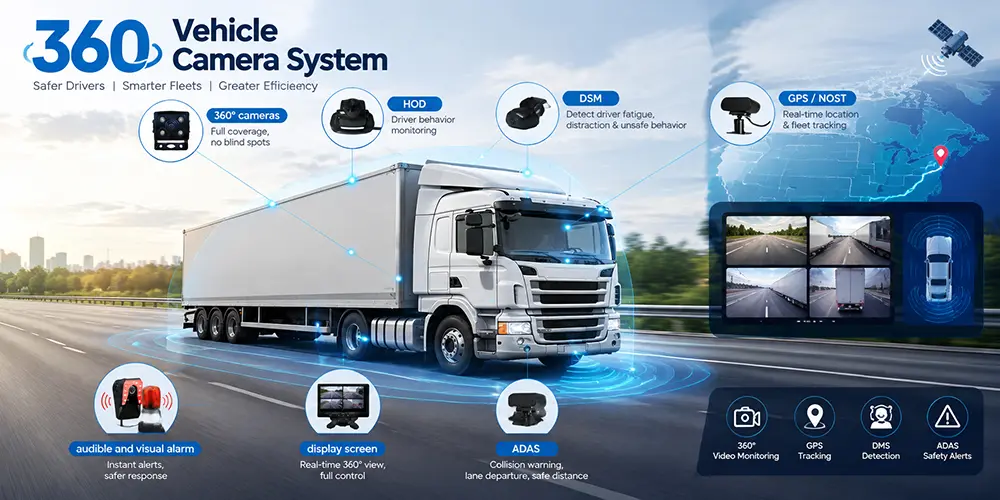
① Function: Covers multiple angles including front, rear, sides, and cab, providing comprehensive field of view.
② Applicable Scenarios: Large vehicles driving in narrow environments with prominent blind spot issues.
③ Limitation: Complex installation, difficult footage management, requiring supporting review workflows.
5. Cargo/Interior Monitoring Dash Cam
① Function: Specifically monitors the cargo compartment or loading area.
② Applicable Scenarios: Transportation of high-value goods, frequent loading/unloading, or cargo-related disputes.
Classification by System Level
1. Standalone Dash Cam (Local Storage)
① Storage Method: Videos stored on SD cards or built-in memory.
② Advantages: Simple structure, low cost.
③ Applicable Scenarios: Fleets with low accident rates that can quickly retrieve footage manually.
④ Limitation: Requires manual collection of storage devices, affecting investigation and claim settlement efficiency.
2. Cloud-Connected/Remote Access Dash Cam
① Function: Supports remote access and centralized video management without on-site operation.
② Advantages: Rapid retrieval of accident/dispute footage, supports standardized safety management, suitable for large-scale operations.
③ Core Value: Improves response speed and facilitates unified management of multiple vehicles.
Classification of Key Functions
1. GPS and Trip Context
① Value: Videos are bound to location and time, restoring routes, road conditions, and high-risk accident sections, enhancing decision-making reference.
2. Event-Triggered Recording vs. Continuous Recording
① Event-Triggered: Only records during collisions, sudden braking, etc., reducing storage pressure and focusing on accidents.
② Continuous Recording: Records the entire trip, restoring context before accidents, suitable for training and in-depth investigations.
3. Post-Ignition Recording
① Function: Captures events even after the vehicle is turned off (parking lot scratches, yard accidents).
② Applicable Scenarios: Fleets frequently facing claims for vehicle damage during non-driving hours.
4. Driver Manual Trigger Recording
① Function: Drivers actively record key scenarios via button press (violations by others, potential hazards).
② Value: Supplements omissions in automatic recording, assisting training and accident review.
Selection by Fleet Usage Scenarios
1. Long-Haul/Regional Transport Fleets
① Core Needs: Reliability, evidence clarity, remote access capability.
② Selection Recommendation: Prioritize systems with stable remote access and simple operation, suitable for cross-regional management.
2. Local Delivery/Mixed Fleets
① Core Needs: High deployment efficiency, large-scale management, lightweight review.
② Selection Recommendation: Choose easy-to-install, centrally manageable models to avoid cumbersome reviews.
3. Construction/Dump/Trucking Fleets
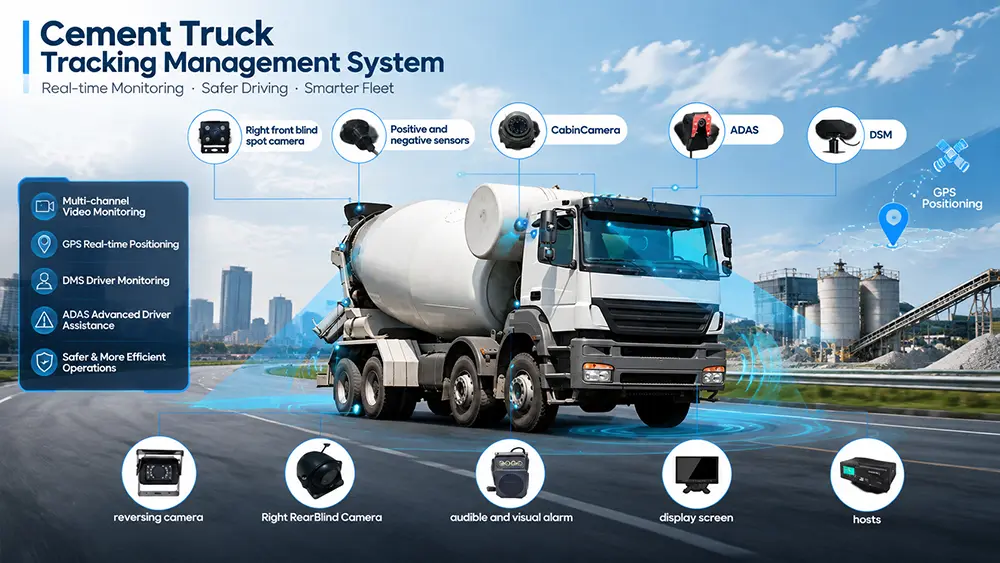
① Core Needs: Close-quarters operation recording, complex scene restoration, dispute evidence provision.
② Selection Recommendation: Prioritize multi-angle coverage to clearly present operations in narrow construction site spaces and surrounding vehicle conditions.
Implementation Tips
① Formulate clear policies: Inform drivers of recording scope, review rules, and footage usage purposes, with the goal of "safety improvement and fair decision-making".
② Standardized training: Video-based training should be specific and constructive, focusing on "learning and improvement" rather than accountability.
③ Simplify retrieval workflows: Ensure rapid footage acquisition during accidents and claims to avoid system idleness.
Core Advantages of YUWEI Dash Cams and Recommended Models
① Easy Installation: All series connect directly to truck diagnostic interfaces without complex wiring, compatible with various commercial vehicles.
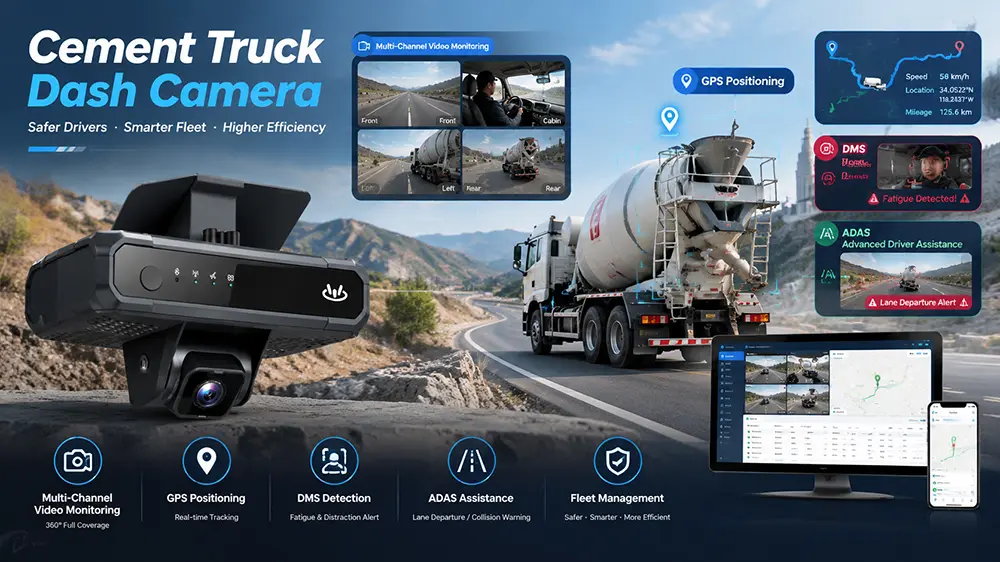
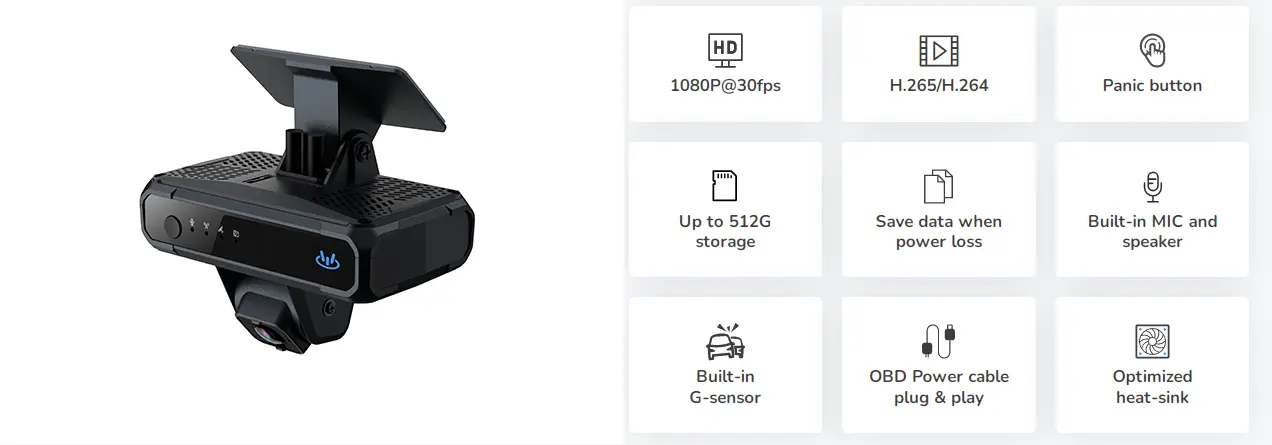
② Integrated Functions: All support HD video remote access, real-time GPS/BDS dual-mode positioning, driver SOS manual trigger, and built-in ADAS driver assistance and DSM driver status monitoring systems.
③ Recording Capability: Continuous recording (including post-ignition), G-sensor automatically triggers collision recording and uploads, ensuring evidence security.
④ Expandable Compatibility: Functions as an FMCSA-certified ELD, supporting HOS log management and DVIR pre-inspection; links with YUWEI air scales and other hardware, with open APIs for third-party application integration.
Recommended Models
① YUWEI V5: Supports 2-4 channel cameras, 1080P HD recording, dual TF card storage, 4G real-time transmission, 360° panoramic monitoring. Awarded 2023 China Best Dual-Channel Dash Cam Certification, suitable for medium and large logistics fleets.
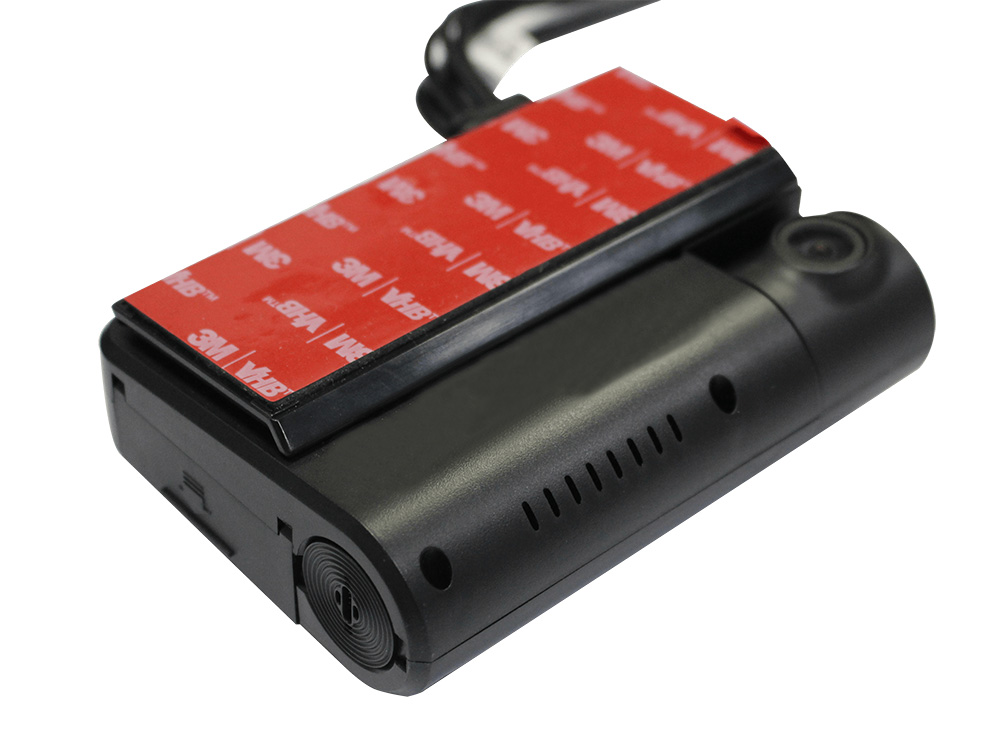
② YUWEI V5C: Cost-effective dual-lens AI model, 140° 1080P front lens + 150° 720P in-cab lens, supports facial recognition and WiFi data transmission, single TF card storage up to 1TB, suitable for small and medium-sized fleets and budget-controlled needs.
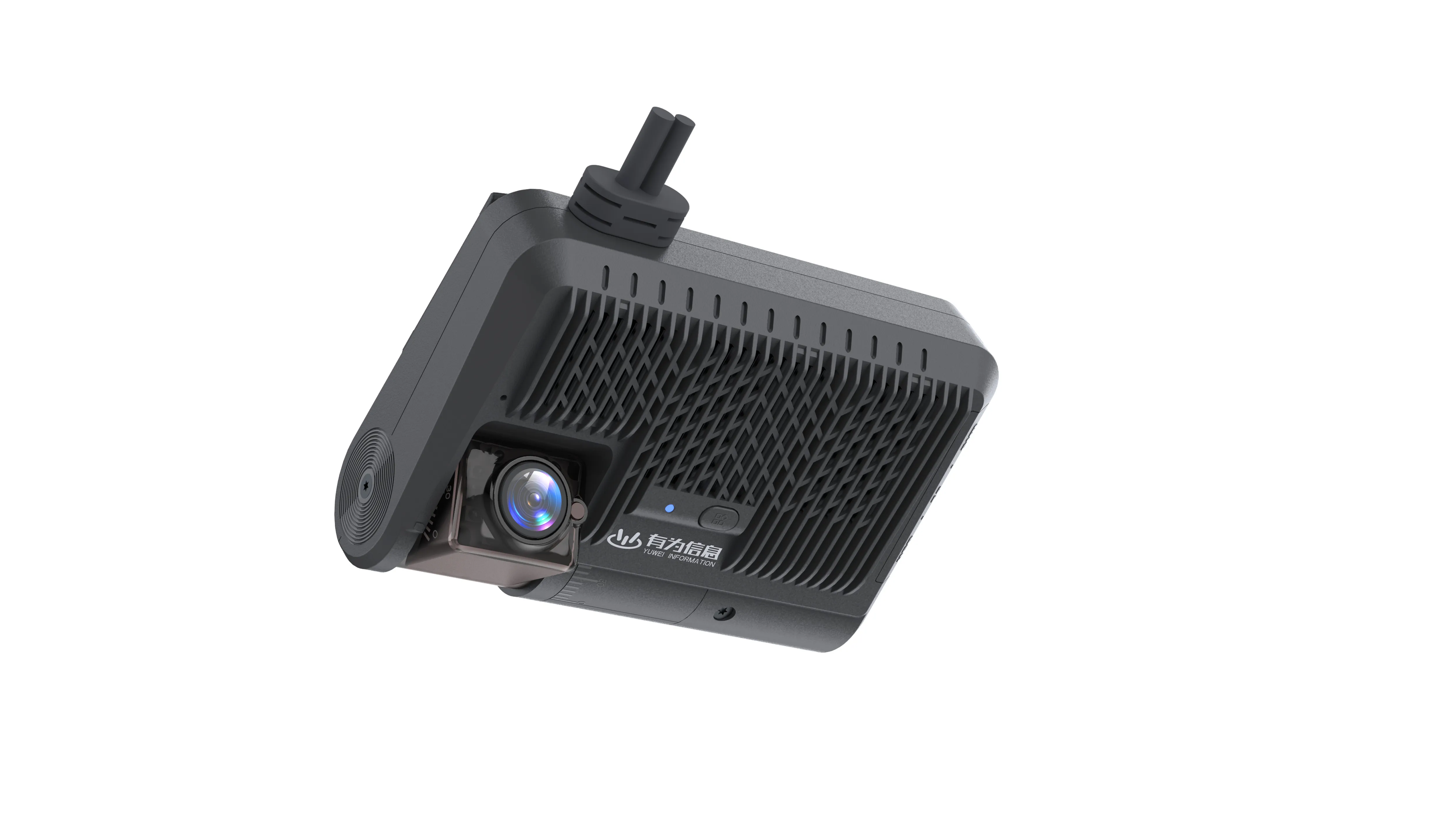
③ YUWEI V8N: Dual TF card slots (single card up to 2TB), supports BSD blind spot monitoring camera expansion, real-time voice alerts + back-end statistical reports, outstanding long-term data traceability, suitable for long-haul transportation and large fleets.
Quick Selection Checklist
1. Determine coverage scope (front-only, front & rear, cab-included, multi-angle);
2. Clarify video retrieval timeliness (whether remote instant access is required);
3. Lock core focus events (parking accidents, collisions, driver triggers, continuous context);
4. Evaluate management capabilities and select a "usable" system (simplicity and stability first).
Email:hello@yuweitek.com