






360° Car Camera System

360° Car Camera System Guide

Date Time: October 09, 2026
Reading volume: 17
Author: YUWEI

360° Car Camera System


stitches the video feeds into a simulated bird's-eye view. For passenger cars, this enables easier parking, curb awareness, and low-speed maneuvering. For larger fleet vehicles like vans, RVs, trucks, and buses, it helps drivers navigate wider blind zones. The key is ensuring the system fits your vehicle's display, wiring, recording needs, and calibration process. This guide explains how 360° camera systems work, when an aftermarket kit is worthwhile, installation costs, and pre-purchase considerations.

360° Car Camera System

What Is a 360° Car Camera System?

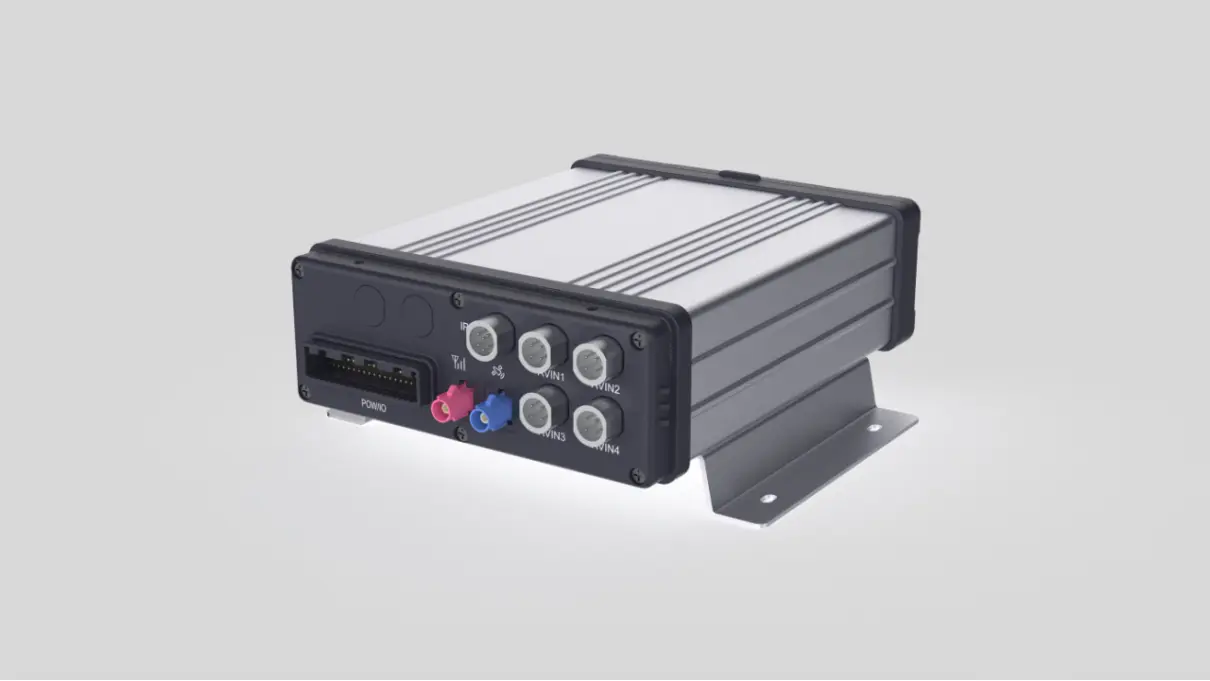
A 360° surround-view camera system (or bird's-eye view system) uses multiple vehicle-mounted cameras to create a simulated overhead perspective. Most aftermarket setups use four wide-angle cameras (front, rear, left, right). An Electronic Control Unit (ECU) corrects lens distortion, aligns the cameras, and stitches the images onto your display.


Drivers immediately benefit by seeing low obstacles, lane edges, and tight corners that traditional mirrors miss. For commercial vehicles, camera durability, signal quality, night vision, and accurate calibration are critical for reliable daily use. The ideal setup depends entirely on your visibility needs and vehicle integration.


Which 360° Camera System Fits Your Vehicle?

Use Case

Best Starting Point

Check Before Buying

Car/SUV Parking

4-camera 2D/3D surround kit

Display input, mounting points, calibration space

Van, RV, Truck, or Bus

Commercial-grade 4-camera system (or more)

Vehicle length, cable length, mounting height, signal compatibility

Event Recording Needed

Surround system with DVR/MDVR integration

Channels, storage, export method, triggers

Keep Factory Screen

System + compatible video interface

Factory display input, resolution, connectors

Rear Visibility Only

High-quality backup camera

Avoid 4-camera complexity unless side/front coverage is required


How Does a 360° Surround View System Actually Work?

The image relies on geometry, not a drone. Cameras fixed to the vehicle body capture overlapping areas. The system corrects wide-angle distortion and stitches these feeds into a digital 360° model. A typical setup includes:

1.Front camera: Near the front grille

2.Rear camera: Near the license plate

3.Left camera: On the driver-side mirror or body

4.Right camera: On the passenger-side mirror or body

All four send video to the ECU, which processes a real-time overhead view. Proper calibration mat placement is critical for accurate stitching, allowing the ECU to map camera positions to exact vehicle dimensions. Displays can show the 360° view alone or combined with direct camera angles for enhanced hazard awareness.


2D vs. 3D: What's the Difference?

Feature

2D System

3D System

View Type

Flat bird's-eye map

Selectable angles around the vehicle

Best For

Parking, curb judgment

Complex maneuvers, trailer alignment

Processing

Simpler, lower cost

More complex, higher cost

User Control

Fixed top-down view

Rotate and zoom virtual camera


Can You Install an Aftermarket 360° Camera on Any Car?

Generally yes, but they aren't universal plug-and-play upgrades. Compatibility depends on the cameras, ECU, display interface, wiring, and calibration method. Key checks include:

1.Vehicle Size & Mounting: Verify clear, stable mounting locations for all four cameras.

2.Display Compatibility: Ensure your factory or aftermarket display accepts the system's output.

3.Format & Resolution: Match video signals (e.g., AHD, CVBS) across cameras, ECU, and display.

4.Power & Triggers: Confirm voltage and triggers for reverse-gear or turn-signals.

5.Cable Routing: Plan safe paths away from heat, moving parts, and EMI sources.

6.Durability: Match camera IP ratings and low-light performance to your operating environment.

7.Recording Needs: If required, confirm DVR channels, storage, and playback options.

8.Calibration Space: Ensure the installer has correct mats, exact measurements, and level ground.


Why 360° Camera Calibration and Image Stitching Matter

Calibration ensures camera angles align perfectly. Incorrect measurements or mounting cause image gaps, duplication, or edge distortion. Longer vehicles are harder to align due to wider camera spacing, requiring precise measurements and ample calibration space.


What the ECU Actually Does: The ECU corrects wide-angle distortion, maps camera positions, and fuses overlapping zones into one image. On larger vehicles, cable length and signal quality are critical; AHD is common because it transmits HD video over standard wiring, though it requires EMI shielding.


Calibration Mat / 3D Stitching Method: Installers place printed calibration mats around the vehicle and input precise dimensions into the ECU. Poor calibration causes distorted or duplicated objects at stitching boundaries.


Safety Note: Drivers must still use mirrors and direct observation. 360° cameras reduce blind spots but do not eliminate all obstacle risks.


Is a 360° Camera System Worth It?

Situation

Verdict

Reason

Large vehicles in tight areas

Worth it

Wider perimeter view aids low-speed maneuvering.

Frequent side/corner collisions

Worth it

Ensures actual risk zones are covered.

Fleet needing accident video

Check recording support

Surround view doesn't always include built-in DVR recording.

Small car needing reverse aid

Backup camera suffices

360° adds unnecessary complexity if only rear view is needed.

Incompatible factory screen

Solve compatibility first

Plan the interface and calibration before buying hardware.


Real-World Example: Ford Transit Van

We recently installed a 4-camera AHD system on a 22-foot 2022 Ford Transit. The biggest challenge was calibration. Because of the wide overlap zones on a longer vehicle, it took two calibration attempts to perfect the stitching.

Lesson learned: For vehicles over 18 feet, budget extra calibration time and use an installer experienced with long-body vehicles.


Top 3 Mistakes When Buying Aftermarket 360° Cameras

1.Ignoring signal compatibility: AHD cameras won't work with CVBS monitors. Confirm standards first.

2.Underestimating cable length: Standard 6-meter cables often fail on trucks and RVs. Measure the longest run and add a 20% buffer.

3.Rushing calibration: Poor calibration creates false obstacles. Insist on proper mat calibration and accurate measurements.


How Much Does It Cost to Install?

Prices vary widely. Consumer hardware ranges from $250 to over $999. Professional installation includes interior disassembly, wiring, ECU setup, and calibration labor. OEM retrofits and commercial vehicles cost more due to complexity.

Cost Factor

What Affects Price

What to Confirm

Hardware

2D/3D processing, resolution, durability, included display

Exact kit contents

Labor

Trim removal, mounting, wiring, vehicle length

Scope of work and if calibration is included

Display Integration

Standalone vs. factory interface

Inputs, connectors, trigger logic

Calibration

Vehicle size, mat setup, available space

Who performs it and verifies results

Recording

Built-in vs. external DVR, channels, capacity

Storage, export, and event triggers


360° Surround View vs. 360° Dash Cam

System

How It Works

Primary Purpose

360° Surround-View

Stitches external cameras into bird's-eye view

Low-speed visibility, parking, blind-spot awareness

360° Dash Cam

Single ultra-wide or dual-lens recording cabin/road

Trip and cabin recording (no bird's-eye view)

Multi-Channel DVR

Records multiple vehicle cameras separately

Event evidence, fleet video logging

Parking Surveillance

Records while parked via event-triggers

Parked vehicle monitoring

Note: Surround systems may support recording, but verify if your kit includes real-time display only, built-in recording, or needs mobile DVR integration.


Aftermarket 360° Camera vs. Factory 360° System

Feature

Factory 360° System

Aftermarket 360° Kit

Cost

$1,500–$3,000+ (often bundled)

$300–$1,000 for hardware

Installation

Pre-wired at manufacture

Requires custom wiring and calibration

Image Quality

Optimized for specific vehicle

Varies by brand and camera grade

Recording

Usually not included

Optional DVR/MDVR integration

Compatibility

Perfect fit for that model

Must verify screen input, format, and mounting


360° Camera Maintenance Tips

1.Keep lenses clean: Wipe weekly for commercial vehicles and monthly for personal cars to prevent image degradation.

2.Check seals/connectors: Inspect seasonally for water ingress or corrosion.

3.Winter care: Use heated cameras in freezing climates to prevent ice buildup.

4.Firmware updates: Check annually for ECU updates that improve stitching or add view modes.


FAQ

Can I add a 360° camera to a car with an existing backup camera?

Yes, but the old camera won't integrate. You need four matched cameras calibrated together by the ECU to stitch the bird's-eye view.


Will an aftermarket 360° camera work with my factory screen?

Often yes, if you have a compatible video input or vehicle-specific interface. Otherwise, you'll need a separate monitor.


Does a 360° system record while driving or parked?

Only if configured with a compatible DVR-enabled ECU. Parking recording also requires backup power and trigger logic.


What info is needed to confirm compatibility?

Make, model, year, dimensions, voltage, mounting point photos, screen connectors, recording needs, and available calibration space.


Can a 360° camera eliminate all blind spots?

No. It drastically reduces uncertainty, but you must still use mirrors and standard safe-driving practices.


How long does installation and calibration take?

4–8 hours for passenger cars; 8–16 hours for commercial vehicles due to complex wiring and calibration. DIY installations can take a full weekend.


Need Help Choosing the Right Surround-View System?

Contact YUWEI with your vehicle details, proposed camera locations, display inputs, and recording requirements. We'll help you design the perfect 2D or 3D configuration and installation plan.

Email:hello@yuweitek.com

Communicating with us can make you find a better fleet management equipment supplier
Get a quote
MESSAGE
*
*
*
*